 . Using it, you drag all objects in the selection (pictured) connected in both point-to-point and point-to-object on-relations:
When you want to drag an object or selection of objects, you can choose between three dragging modes. Descriptions of the three modes follow:
. Using it, you drag all objects in the selection (pictured) connected in both point-to-point and point-to-object on-relations: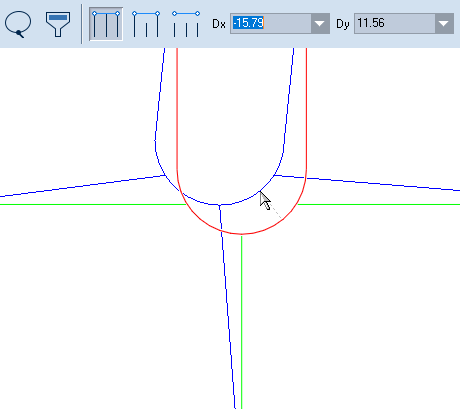
 . Using this option, you drag all objects in the selection (pictured) as well as all objects connected to it in point-to-point on-relations.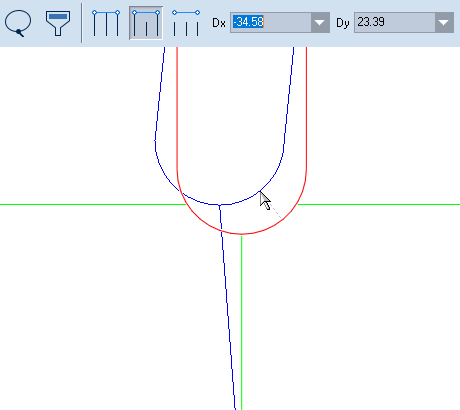
 . Using this option, you drag only the selected objects. All objects connected to them, regardless of the type of their on-relations, will not move.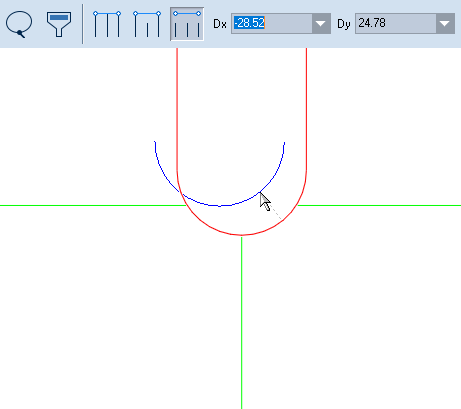
NOTE: Once you have started dragging a group of connected objects, by default you are using the mode that drags objects connected at both point-to-point and point-to-object on-relations. To switch between the three dragging modes: