This tab displays the list of messages that do not appear on the screen as a result of selecting the "Do not show this message again" in dialog boxes. If the check box in front of a message is selected, the message box will not appear; it it is empty, the message will appear.
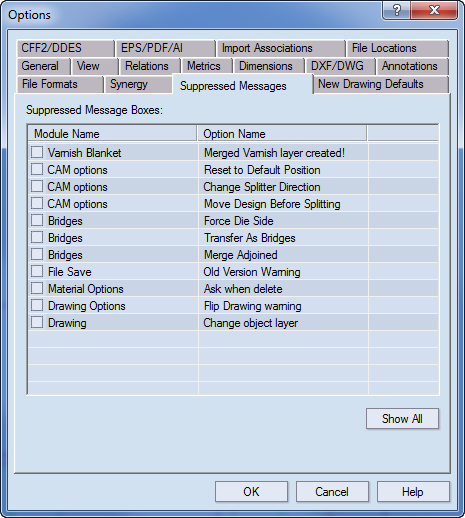
Module Name Displays the prompts that contain the "Do not show this message again" prompt.
Option Name The name of the prompt.
Show All Clears the selections for all check boxes. This makes all messages appear when their respective situations occur.